Samsung Galaxy Watch 4 classsic bluetooth 42mm and 46mm
Design and display
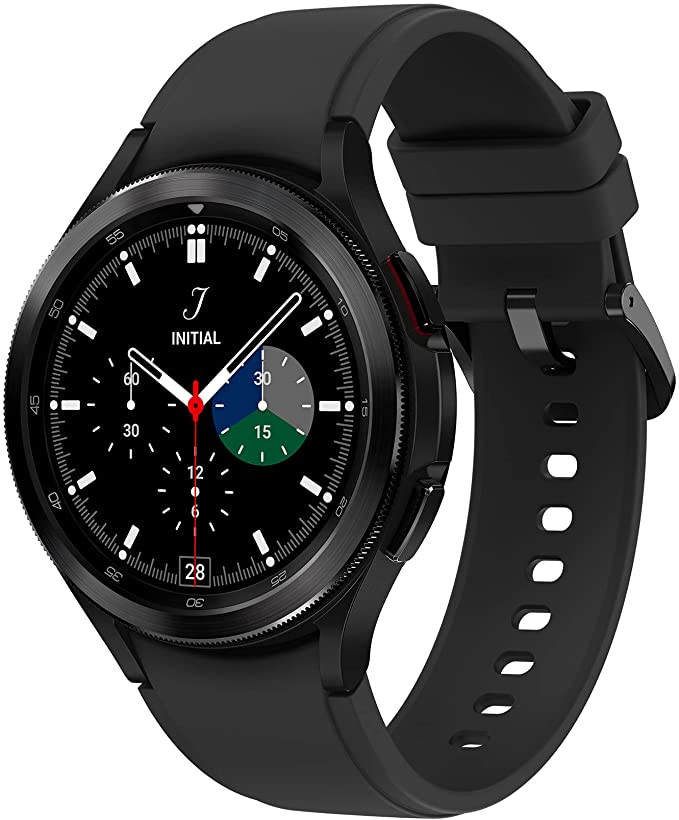
The Samsung Galaxy Watch 4 Classic has a main body and bands that can be changed. The small levers on this watch made it harder for us to change the bands than on other watches, but your experience may be different. The strap that comes in the box is made of fluoroelastomer, which is a silicon-like material that can be more comfortable than some smartwatch bands made of rubber. It can also be less irritating, which is important for people with skin conditions.
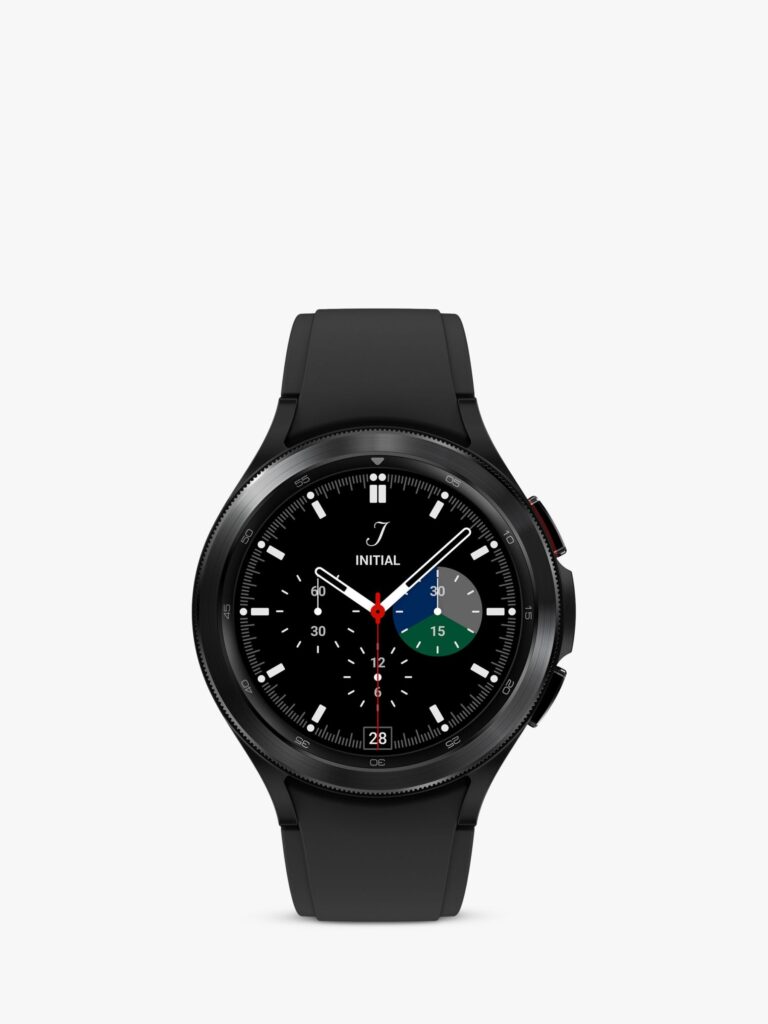
The watch has a silver or black finish. Depending on which one you choose, the straps in the box and the body and bezel of the watch will be a different colors.
On most watches, you can adjust the angle of the strap in relation to the body. But on the Watch 4 Classic (and the standard Watch 4), the straps can only stick out perpendicularly from the sides of the body. This leaves a big gap between the strap and your wrist on either side of the body. You can see this problem in the picture of the standard Watch 4 below, and our wrists are pretty average-sized.
So, the Galaxy Watch was a little uncomfortable for us to wear. Depending on the size of your wrist, you might not feel the same way. Also, the watch is quite thick, which makes it hard to wear with tighter clothes and uncomfortable to wear to bed. The body of the watch is made of stainless steel. It feels sturdy, partly because of the material and partly because of the raised bezel ring around the screen, which protects it from knocks and bumps. The watch has two buttons, both on the right side. The top button takes you back to the home screen, and the bottom button can be held down during workouts to stop tracking (we’ll talk more about the fitness features later). The main difference between the standard Watch 4 and the Watch 4 Classic is the bezel. The standard Watch 4 has a “virtual bezel,” but some of Samsung’s other “standard” wearables have had a real bezel. This turns and can be used to navigate the smartwatch. It quickly became our preferred way to zoom between menus instead of swiping, which can be hard to do while walking or if your hands aren’t steady. It’s probably the main reason you’d choose the Classic instead of the regular model. If you choose the 42mm model, the watch’s screen is 42mm wide, and if you choose the 46mm model, the screen is 46mm wide. This may sound obvious, but it’s worth pointing out that the size refers to the screen, not the body as a whole. The display is one of the best we’ve seen on a smartwatch. It has bright colors and a high maximum brightness, which made it easy to see in bright sunlight and when we looked at it while running by raising our wrists.
Software and how well it works
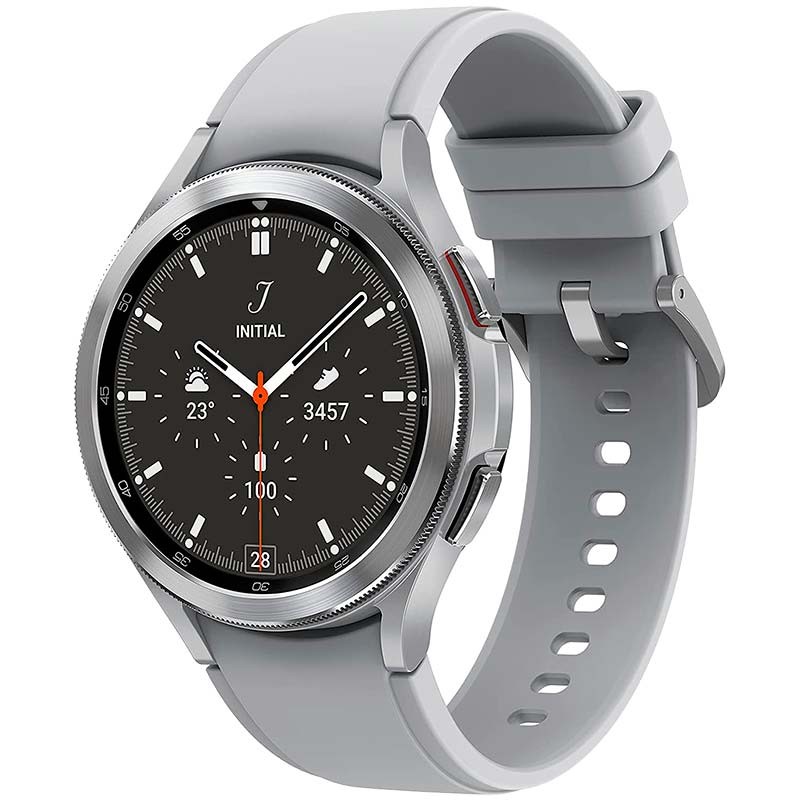
Together with the Samsung Galaxy Watch 4, the Classic is the first device to use Wear OS 3.0. This software was made by Google and Samsung for this line of watches, but it will also be used on other devices.
This software is a lot better than the last version of Wear OS. You can easily move from one tile to another by turning the bezel. This makes it easy to get to the music controls, workout tracking modes, or heart rate monitor.
This list of very useful tiles almost made the app list unnecessary, since going through all the steps to get to it took much longer than just turning the bezel the right amount. But we still sometimes used the app list to get to some functions, like timers or alarms.
The fact that the apps in the app list don’t have names can also be confusing. For example, the Timer, Stopwatch, and Alarm apps all have clock icons, so it can be hard to know which one to choose if you want one of these tools.
Navigation is done by swiping from the home watch face, except when using the bezel. When you swipe in from the left, the phone’s notifications menu appears. Swiping down from the top brings up the settings menu, which has a really useful option we used a lot called “Theatre Mode.” This turned off notifications and raise-to-wake for a set amount of time, making it perfect for watching a movie. We’d like to see this mode on more wearables.
Swiping up from the bottom brings up the app menu, and swiping in from the left lets you move between tiles. You probably won’t use this feature much, though, since you can do the same thing by turning the bezel.There’s a long list of watch faces to choose from, and you can also customize these by changing the complications, using your own photo, moving the clock and so on. You can do this from the watch itself, but given how fiddly that can be on a small screen, we found it easier to use the Galaxy Wearable smartphone app instead.
At this point, it’s important to note that you have to install not just one but two Samsung apps. You have to install both the Galaxy Wearable and Samsung Health apps on your phone in order to use your Watch 4 Classic to its fullest. In addition to the customization options already mentioned, they also let you track your fitness metrics and find out more about your workouts. It’s just too bad that you have to switch between apps to do different things instead of having all the information and tools you need in one place.
Fitness
The main menu of the Samsung Galaxy Watch 4 Classic makes it easy to get to the three main fitness modes. You can walk, run, and ride a bike, and there are 10 more, like swimming, circuit training, and gym workouts, in a separate menu. The Samsung Health app lets you add a lot more.
The GPS on the watch keeps track of where you are while you work out. It also keeps track of time, speed, elevation, heart rate, calories burned, and more. It divides these measurements into pieces per kilometer. Well, the app breaks the splits down by kilometer and measures your distances in metric. But the distance was shown on the watch in miles, which is an imperial unit. Even before we noticed the difference, this was very confusing, and we couldn’t figure out how to change it.

When we talk about things we couldn’t find a way to change, the watch will interrupt any music you’re listening to at the end of every “lap” or mile to tell you your time, distance, and heart rate. This could take a long time, and if you were listening to music on the same phone, it would play over what you were listening to (or interrupt a spoken-word podcast). We couldn’t find a way to stop this from happening in either the watch settings or the apps.
Overall, we found the running data to be pretty accurate, especially when it came to measuring distance and heart rate. Time could be a little off, though, because the workout controls are a little tricky. Every time we tried to pause the tracking while waiting to cross the street, we lost a few seconds.
You can pause a run by holding the lower button or swiping in from the left and pressing “Pause.” Both of these options take at least a second, which can add up if you’re running in a busy area and make the time longer than it would be on a smartwatch with a simple one-tap pause option.
Also, these methods only work if you are already looking at the screen that shows your workout metrics. This, in turn, depends on how well raise-to-wake works when you’re running, which it doesn’t always do. If you’re on another watch face, like if you were skipping music or looking at navigation, you have to go back to the workout face to access the pause button. Every second adds up. Manually keeping track of workouts can be a little annoying, but the Watch 4’s automatic walk tracking is surprisingly helpful. When you’ve been walking for 10 minutes without turning on the walk tracking mode, the watch automatically switches to it. This gives you extra health information you wouldn’t have gotten otherwise.
We didn’t try every fitness mode on the Galaxy Watch 4 Classic, but we did try some, like Squats and Sit-Ups, and they were a little hit or miss. When doing squats, the watch would sometimes miss a rep. We’d say this happened once or twice out of every 10 sets, and the same was true for sit-ups. It’s a little annoying, but you can get over it if you don’t mind doing an extra crunch or squat. During each of these workouts, though, there were times when the watch just wouldn’t count any reps, and we couldn’t figure out why. Body composition scanning is an interesting new mode here. It tells you things like your body fat percentage, body water percentage, and BMI. This is obviously not as accurate as real equipment for scanning these things, but the fact that a smartwatch can scan for them is impressive. When it comes to fitness tracking, there is no perfect smartwatch, and the Samsung Galaxy Watch 4 Classic is by no means the worst one we’ve tried. In fact, despite the inaccuracies we’ve mentioned, it’s one of the better ones we’ve used for many types of workouts. But the workout controls are hard to use and the voice prompts can be annoying.
Battery life

The worst thing about the Samsung Galaxy Watch 4 Classic is, without a doubt, that it doesn’t last very long on a single charge. The standard model can go about two days without being charged, but based on our testing, we think the Classic can go less than a day before it runs out of power. That is such a terrible performance that it makes the Apple Watch with a one-day battery life look good. For some background, the average smartwatch can go about two weeks without being charged, but some can go a month or even longer. On a typical day, we would track our fitness for about an hour, stream some music, get the occasional message, and check our heart rates often. With all of this, we think the watch would last between 20 and 22 hours before it needed to be charged. We got into the habit of charging it twice a day, once at work in the morning and again before bed to make sure it wouldn’t run out of power. That’s a way below-average performance, and we’d say it’s a huge red flag for people who might buy it. Charging is done with a pad that plugs into a USB-C port. It doesn’t charge quickly. It takes about two hours to fully charge the watch, which is strange given how short the battery life is.
Amazfit GTR 2 Sports Edition
- Alexa Built-in
- Blood-oxygen Saturation Measurement
- Sleep Quality Monitoring
- Heart Rate Monitoring
- Music Storage and Playback
Amazfit Bip U
- 1.43″ Large Color Screen
- Blood-oxygen Level Measurement (SPO2)
- PAI TM Health Assessment System
- Stress Monitoring & Breathing Excercise
Amazfit GTS 2e
- Always-on AMOLED Display
- Ultra-long Battery Life
- Voice Assistant
- Blood-oxygen Saturation Measurement
- Sleep Quality Monitoring
Buy it if…
Your watches get a lot of bumps and scratches.
The Samsung Galaxy Watch 4 Classic is made of stainless steel and has a big, protective bezel. We found that it could easily handle the occasional bump and knock.
You find it hard to use smartwatches.
The rotating bezel is a great way to navigate, especially if you find the screens on smartwatches too small or hard to use.
You want to keep an eye on how your body looks.
We found it interesting to use the body composition features, even though the feedback was often a little scary for our fitness level after the lockdown! It’s a good way to find out things like how much water your body has or how much skeletal muscle you have.
Don’t buy it if…
You want a watch that doesn’t need to be charged every day.
The Samsung Galaxy Watch 4 Classic could only be used for a full day between charges if we changed how we used it. For example, we could take it off for short periods or put it in battery-saver mode.
You have money to spend.
This smartwatch isn’t for people who don’t have a lot of money, unless you find it on sale for a very low price. Check out the version that is not Classic instead.
You care about when you work out.
We often took a lot more time on runs because we had to fight with the workout controls. If you want to know your times as accurately as possible, you should buy a running watch.
Samsung Classic price and availability
The Samsung Galaxy Watch 4 Classic comes in a few different versions, depending on whether you want 4G or Bluetooth connectivity, a 42mm or 46mm screen (which affects the battery life) or a black or silver body (which doesn’t change the price).
| Size | Expected price |
| Galaxy Watch 4 42mm | Rs 43,467 |
| Galaxy Watch 4 46mm | Rs 47,193 |